Winterboard sometime messes up the icons on the iPhone and makes them appear blank
To fix this install iWipe Cache from Cydia or Modmyi repo
http://modmyi.com/cydia/package.php?id=17669
Thursday, February 09, 2012
Wednesday, February 08, 2012
How to clean and clear email suggestions auto-complete history in iPhone Mail.app
1. Download Diskaid from http://www.digidna.net/products/diskaid
2. Using Diskaid download AddressBook.sqlitedb file to PC from /private/var/mobile/Library/AddressBook
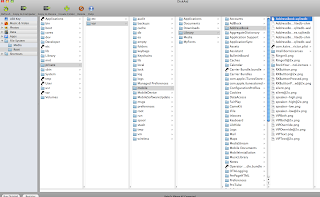
3. Backup AddressBook.sqlitedb to a safe place and then rename AddressBook.sqlitedb to AddressBook.sqlite
4. Use SQLite Manager Firefox extension to open AddressBook.sqlite
5. Browse Data tab and select ABRecent from table and select the record to delete and press the delete record button
6. Save AddressBook.sqlite and rename to AddressBook.sqlitedb
7. Upload AddressBook.sqlitedb to /private/var/mobile/Library/AddressBook using Diskaid
8. Switch off iPhone and Switch back on to reboot
9. Done!
2. Using Diskaid download AddressBook.sqlitedb file to PC from /private/var/mobile/Library/AddressBook

3. Backup AddressBook.sqlitedb to a safe place and then rename AddressBook.sqlitedb to AddressBook.sqlite
4. Use SQLite Manager Firefox extension to open AddressBook.sqlite
5. Browse Data tab and select ABRecent from table and select the record to delete and press the delete record button
6. Save AddressBook.sqlite and rename to AddressBook.sqlitedb
7. Upload AddressBook.sqlitedb to /private/var/mobile/Library/AddressBook using Diskaid
8. Switch off iPhone and Switch back on to reboot
9. Done!

Thursday, June 09, 2011
Sunday, May 29, 2011
Saturday, May 28, 2011
Wednesday, May 25, 2011
Ubuntu 9.10 system halted on shutdown
On old computers you may encounter a system halted error when running Ubuntu 9.10
To fix use terminal
1. in Terminal
sudo gedit /etc/modules
add to last line
apm power_off=1
save and exit gedit
2. in Terminal
sudo gedit /etc/default/grub
edit line that reads GRUB_CMDLINE_LINUX="" to
GRUB_CMDLINE_LINUX="noacpi acpi=off acpi=force apm power_off=1"
save and exit gedit
3. in Terminal
sudo update-grub
restart computer and you will be able to shutdown now!
To fix use terminal
1. in Terminal
sudo gedit /etc/modules
add to last line
apm power_off=1
save and exit gedit
2. in Terminal
sudo gedit /etc/default/grub
edit line that reads GRUB_CMDLINE_LINUX="" to
GRUB_CMDLINE_LINUX="noacpi acpi=off acpi=force apm power_off=1"
save and exit gedit
3. in Terminal
sudo update-grub
restart computer and you will be able to shutdown now!
Thursday, May 20, 2010
Microsoft Sidewinder 2 Precision joystick driver

Been trying out the X-Plane simulator and I must say it's much better then MS Flight Simulator X
I am using a 13 year old Microsoft Sidewinder 2 Precision joystick and realized it's so hard to find the windows driver for this thing. Microsoft even does not have it on their support pages which frankly does not surprise me.
Lucky I found mine in the shoe box covered in dust!
So for anyone that still has one of these gems, here is the driver in ISO format ready to burn to CD
http://www.megaupload.com/?d=8DZL8GYT
Thursday, November 26, 2009
Create a fluid Joomla module using template override on mod_newsflash
Logic to calculate module width based on number of items to be dispalyed. In this example below this logic assumes PARENT DIV width is 980 pixels wide and module width will be adjusted accordingly to fit inside a 980 pixel element floating left so they look like they are in a straight line.

Logic to calculate module width based on number of items to be dispalyed. In this example below this logic assumes PARENT DIV width is 980 pixels wide and module width will be adjusted accordingly to fit inside a 980 pixel element floating left so they look like they are in a straight line.

Wednesday, November 25, 2009
Auto Clear pre text in input box
Place the code below in your scripts.js file:

And in your input box code be sure to add:


And in your input box code be sure to add:

Wednesday, September 16, 2009
Find and Replace data in MySQL using phpmyadmin
in phpmyadmin run this SQL query
update table_name set field_name = replace(field_name, ‘Old Data’, ‘New Data’)
table_name is the name of table in database
field_name is the name of the column in your table
update table_name set field_name = replace(field_name, ‘Old Data’, ‘New Data’)
table_name is the name of table in database
field_name is the name of the column in your table
Find and Replace in MySQL
in phpmyadmin run this SQL query
update table_name set field_name = replace(field_name, ‘Old Data’, ‘New Data’)
update table_name set field_name = replace(field_name, ‘Old Data’, ‘New Data’)
Thursday, August 27, 2009
How to find absolute path using php

Create a file called path.php with the following code:
echo realpath(dirname(__FILE__));
Thursday, August 13, 2009
Read More itemid Hack on Joomla 1.0
Goto: components/com_content/content.html.php
Example: So if readmore link on home page is picking up Itemid=42 and you want to force it into another interior Itemid then:
At around line 1768
Change function ReadMore a link to:

Example: So if readmore link on home page is picking up Itemid=42 and you want to force it into another interior Itemid then:
At around line 1768
Change function ReadMore a link to:

Monday, August 10, 2009
Correcting the 1px OFF Center Aligned Background Bug
The bug appears when trying to align even numbered width backgrounds, with an odd numbered width browser viewport (or vice versa).....read more
Tuesday, August 04, 2009
sh404sef and Virtuemart pagination issue
Insert this in component/com_sh404sef/sef_ext/com_virtuemart.php just after the function definitions (eg: if (!function_exists('vmSefGetProductName')) i.e. at around line 95):
// Detect where a menu item with a non-standard Itemid is being processed and simulate a VM internal 'menu' item to facilitate pagination
global $sess;
if( !isset($sess) ) {
require_once( JPATH_ROOT.DS.'components'.DS.'com_virtuemart'.DS.'virtuemart_parser.php' );
}
$vm_Itemid = $sess->getShopItemid();
// Check whether the Itemid is the usual value for a VM menu item
if( $Itemid != $vm_Itemid ) {
// The URL is based on a menu item other than the standard VM menu item (usually the home page)
// VM always uses the standard VM Itemid value in pagination URLs and so this URL will be updated to
// use the standard Itemid and to incorporate any menu item parameters, in case pagination is appropriate.
$menu = & shRouter::shGetMenu();
$menuItem = $menu->getItem( $Itemid );
if( $menuItem ) {
// Get the menu parameter set
$menuparams =& new JParameter( $menuItem->params );
// Replicate the logic used by VM to assess whether a browse or product detail page required
$tmp_product_id = $menuparams->get( 'product_id' );
$tmp_category_id = $menuparams->get( 'category_id' );
// Get the page name and remove '.php', if present
$tmp_page = preg_replace('/\.php/', '', strtolower($menuparams->get( 'page' )));
if( !empty($tmp_product_id) ) {
$default_page = 'shop.product_details';
} else if( !empty($tmp_category_id) ) {
$default_page = 'shop.browse';
} else {
$default_page = '';
}
$tmp_page = empty($tmp_page) ? $default_page : $tmp_page;
// Check whether the menu item is a browse page or product detail page (other pages are excluded
$allowed_pages = array(
'shop.browse',
'shop.product_details',
);
if( in_array($tmp_page, $allowed_pages) ) {
// Clear down the unwanted get vars from the $shGETVars array
$required_params = array(
'option',
'lang',
);
global $shGETVars;
foreach( $shGETVars as $param ) {
if( !in_array($param, $required_params) ) {
unset($$param);
unset($shGETVars[$param]);
}
}
// Reset the Itemid
$Itemid = $vm_Itemid;
shAddToGETVarsList( 'Itemid', $Itemid );
// Replicate the logic used by VM to include specific parameter values
if( !empty($tmp_product_id) ) {
$product_id = $tmp_product_id;
shAddToGETVarsList( 'product_id', $product_id );
} else if( !empty($tmp_category_id) ) {
$category_id = $tmp_category_id;
shAddToGETVarsList( 'category_id', $category_id );
}
$tmp_flypage = $menuparams->get('flypage');
if( ( !empty($tmp_product_id) || !empty($tmp_category_id) ) && !empty($tmp_flypage) ) {
$flypage = $tmp_flypage;
shAddToGETVarsList( 'flypage', $flypage );
}
$page = $tmp_page;
shAddToGETVarsList( 'page', $page );
// Process any other menu parameters not already processed
$params = $menuparams->toArray();
// Exclude system parameters and those already processed
$excluded_params = array(
'product_id',
'category_id',
'flypage',
'page',
'page_title',
'show_page_title',
'pageclass_sfx',
'menu_image',
'secure',
);
// Process each parameter
foreach( $params as $param => $value ) {
if( !in_array($param, $excluded_params) && $value != '' ) { // Note empty() is not used here because zero is valid
$$param = $value;
shAddToGETVarsList( $param, $value );
shRemoveFromGETVarsList( $param );
}
}
}
}
}
// Set the page number for browse pages, if not already set
if( !isset($limitstart) || !isset($limit) ) {
$my_page = explode('.', $page);
$pagename = isset($my_page[1]) ? $my_page[1] : '';
if( $pagename == 'browse' ) {
global $vm_mainframe, $mosConfig_list_limit;
if( !isset($limitstart) ) {
// VM stores a different default limitstart value for each different browse page. That value must be identified so that the URL
// is created for the expected page
// Store the 'current value' of limitstart so that it can be restored later
$save_limitstart = vmRequest::getVar('limitstart');
// Setting the 'current value' to null allows the stored value (if any) to be retrieved without it being overwritten by a
// 'current value' that is usually not applicable to that particular browse page
vmRequest::setVar( 'limitstart', null );
// Force a consistent value for category_id when empty
$category_id = empty($category_id) ? 0 : $category_id;
$limitstart = (int)$vm_mainframe->getUserStateFromRequest( "view{$keyword}{$category_id}{$pagename}limitstart", 'limitstart', 0 );
shAddToGETVarsList( 'limitstart', $limitstart );
// Restore the original 'current value' of limitstart
vmRequest::setVar( 'limitstart', $save_limitstart );
}
if( !isset($limit) ) {
// No need to save and restore values here because VM only uses one value globally
$limit = (int)$vm_mainframe->getUserStateFromRequest( "viewlistlimit{$page}", 'limit', $mosConfig_list_limit );
shAddToGETVarsList( 'limit', $limit );
}
}
}
// Ensure that $limitstart is a multiple of $limit (this can occur if $limit was changed since $limitstart was set)
if( isset($limitstart) && $limit > 0 ) {
$limitstart = floor($limitstart/$limit)*$limit;
shAddToGETVarsList( 'limitstart', $limitstart );
}
In backend settings:
Look for Virtuemart configuration in plugins page
- Select to YES the option that says “Using Items per page drop-down list”
- Save your settings
- Purge SEF urls
- Select to YES the option that says “Using Items per page drop-down list”
- Save your settings
- Purge SEF urls
Subscribe to:
Posts (Atom)